
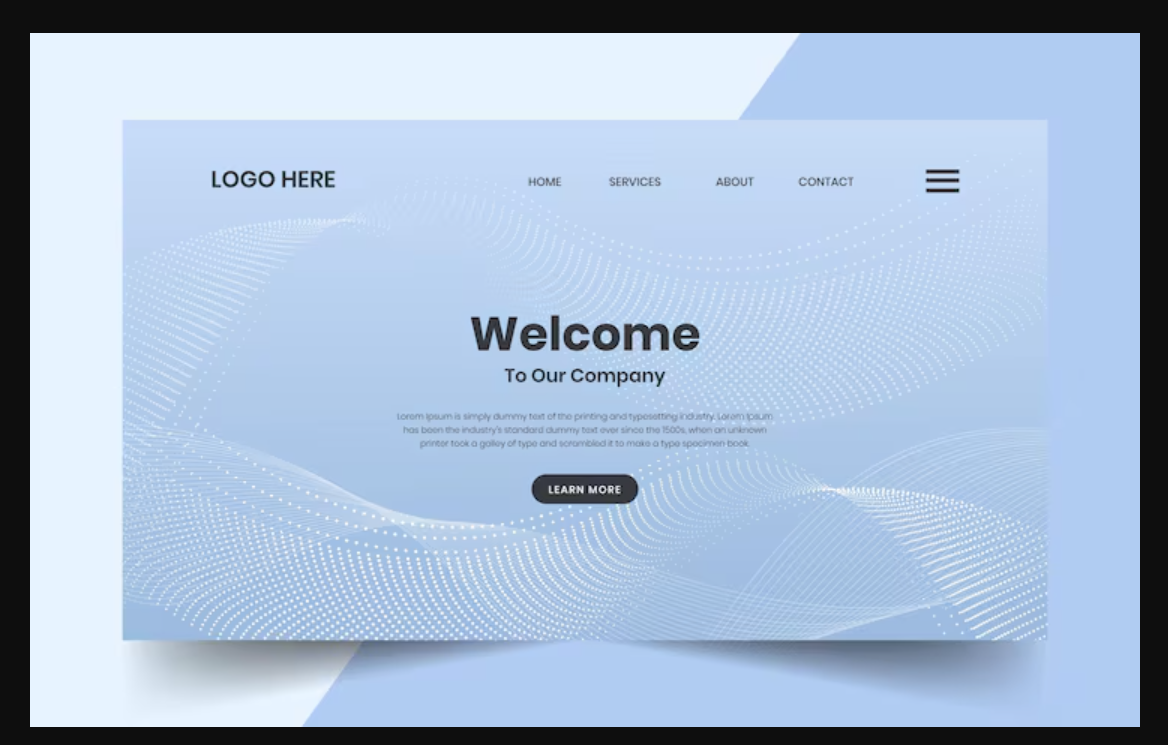
Free stock photos for website hero images
A hero image is the large, top-of-page visual (usually on a homepage or landing page) that creates an instant first impression. If you want a professional look on a budget, free stock photos for website hero images can work extremely well—if you choose them strategically.
This guide covers how to pick, edit, and optimize free hero images so they look premium and support conversions.
Why Hero Images Matter
A strong hero image typically helps you:
• Communicate fast: visitors immediately understand what the page is about.
• Build trust: clean, relevant visuals feel more credible.
• Drive action: paired with the right headline and CTA, hero sections can lift clicks and sign-ups.
The downside: many free stock photos look generic. That’s why selection criteria matters.
What Makes a Free Stock Photo Great for a Hero Section?
1) Plenty of Negative Space for Text
Hero sections usually place a headline and CTA on top of an image. Look for photos with empty areas (sky, plain walls, blurred backgrounds) so your text stays readable.
Quick checklist:
• 30–60% of the frame can hold text
• Background isn’t busy or high-detail everywhere
• Enough contrast (or can be created with an overlay)
2) High Resolution (Then Compressed)
Hero images display large on desktop screens. Start with a high-resolution photo, then compress it for speed.
• Minimum: 1920px wide
• Better for retina displays: 2400–3000px wide (compress after)
3) Relevance to Your Message (Not Just “A Nice Photo”)
Your hero image should reinforce your value proposition. Examples:
• SaaS/Tech: modern workspace, product-like abstract visuals, team collaboration (natural)
• Travel: wide landscapes with room for copy
• Food: clean plating, natural light, strong product focus
4) Doesn’t Look “Too Stock”
Avoid clichés (stiff handshakes, forced smiles, overly staged office scenes). Look for:
• candid/editorial style
• natural lighting
• cinematic composition
• realistic environments
5) Safe Licensing for Your Use Case
“Free” doesn’t always mean unrestricted. Verify the license allows:
• commercial use (if you’re a business)
• use without attribution (or be ready to credit if required)
• no restrictions around sensitive use, trademarks, or redistribution
Note: If the image includes recognizable people, private property, or visible brands, make sure the license and releases (model/property) cover your intended use.
How to Find Great Free Hero Images (A Fast Workflow)
• Define the page goal: awareness, lead generation, sales, or downloads.
• Write your headline first: then choose an image that supports it.
• Search by intent (not just objects):
• “minimal workspace with copy space”
• “abstract gradient background copy space”
• “happy family at home wide banner”
• Filter for landscape orientation and preview how text will sit on the image.
• Mock it up quickly in Figma/Canva before publishing.
Recommended Hero Image Sizes (Practical Defaults)
• Full-width desktop hero: 1920 × 1080 or 1920 × 800
• Shorter modern landing hero: 1920 × 700
• Mobile version: 1080 × 1350 (or 1080 × 1920 for full-screen layouts)
Tip: Save separate desktop and mobile crops if your layout changes significantly on phones.
Quick Edits to Make Free Stock Photos Look Premium
1) Add a Subtle Gradient Overlay
Use a dark or light overlay (around 10–40%) to improve text readability and create a more cinematic feel.
2) Match the Color Tone to Your Brand
• slightly reduce saturation (often looks more modern)
• align white balance across pages
• add a gentle brand-tinted overlay (keep it subtle)
3) Crop for Headline + CTA Placement
Crop so your subject stays clear and you have clean space for copy. Avoid placing the horizon line directly behind your headline.
4) Remove Distractions
If you notice small logos, clutter, or background faces that pull attention away, choose another image or crop tighter.
SEO and Page Speed Optimization (Non-Negotiable for Hero Images)
Use Modern Formats
• Preferred: WebP (or AVIF if your stack supports it well)
• Fallback: JPG/PNG when needed
Compress Aggressively (Within Reason)
• Target size: ~150–350 KB for a hero image (depends on detail)
• minimalist photos can go much lower while still looking sharp
Use Descriptive File Names
Example:
free-stock-photos-website-hero-images-minimal-workspace.webp
Write Helpful Alt Text
Keep it descriptive and natural. Example:
Modern workspace with laptop and copy space for a website hero section
Don’t Lazy-Load the Hero (Usually)
The hero is often the first thing users see. Lazy-loading it can hurt perceived performance. Instead, prioritize it (e.g., preload) depending on your CMS/framework.
Hero Image Ideas by Website Type
• SaaS/Startup: minimal desk setups, abstract tech backgrounds, candid teamwork
• Creative/Agency: bold abstract gradients, studio scenes, clean typography-friendly backgrounds
• E-commerce: products on clean backgrounds, lifestyle product-in-use shots, minimal flat lays
• Travel: wide landscapes, aerial coastlines, skylines with copy space
• Health/Clinic: natural doctor-patient moments, clean interiors, wellness lifestyle
Common Mistakes to Avoid
• Choosing a beautiful image that doesn’t match the value proposition
• Placing text on a busy background (poor readability)
• Uploading oversized files (hurts Core Web Vitals)
• Skipping license checks for commercial use
• Inconsistent visual style across pages
Conclusion
Using free stock photos for website hero images can absolutely look premium. Focus on images with copy space, strong relevance, and a consistent style—then apply light editing and solid SEO/performance optimization.
If you share your niche, preferred visual style, and a sample headline/CTA, I can suggest 10 hero image concepts plus ready-to-use search queries and alt text ideas.